CAETEC Home Electrics keeps each property’s consumer unit, circuits, EICRs, faults, repairs and maintenance checks in one place on your Android phone — so you always know what is fitted, what was done and what is due next.
Schedule of featuresEverything about the wiring, per property
01Profile
Know what every breaker feeds
Each property gets its own electrical profile, written down once and kept up to date.
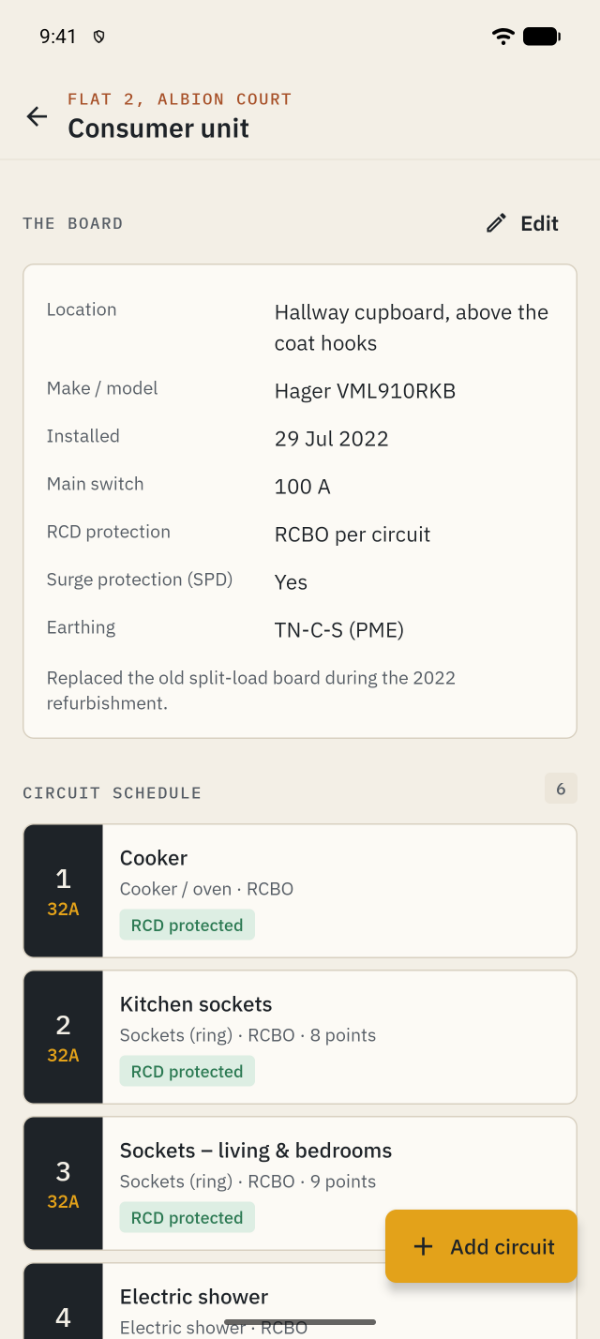
Consumer unit: location, make and model, install date, main switch, RCD and surge protection, earthing
Circuit schedule with way numbers, ratings, device type and RCD protection
Sockets, lights, switches, spurs and smoke, heat and CO alarms, room by room
Appliances with model numbers, warranty dates and the last PAT check
02EICR
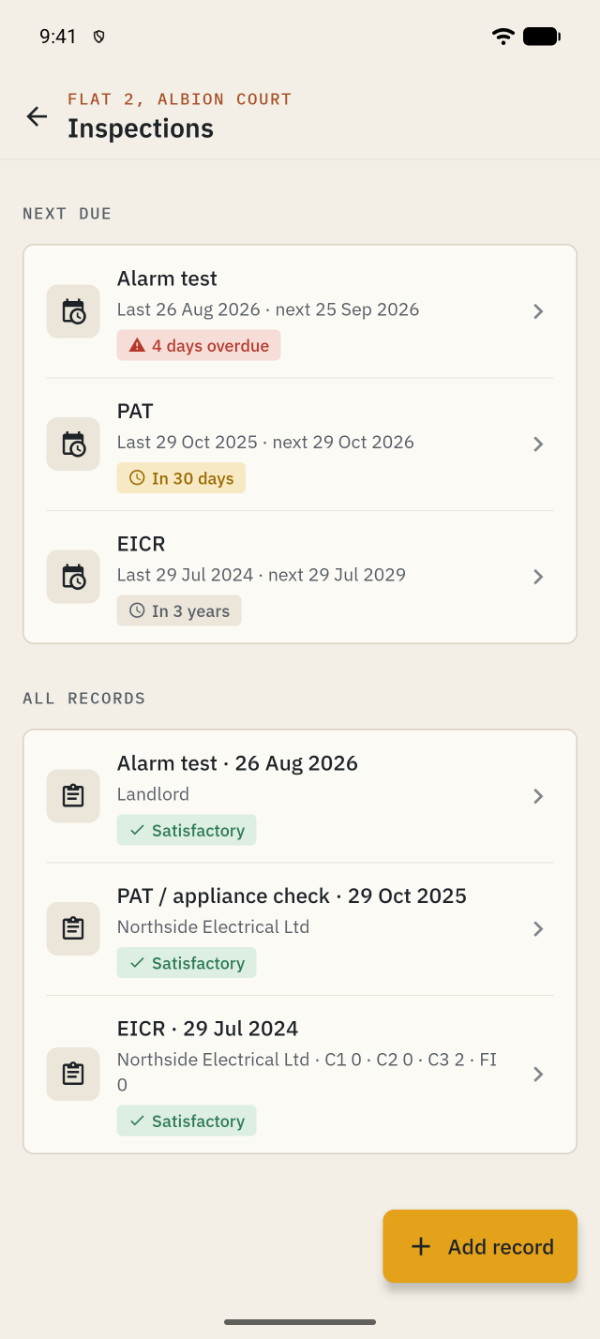
EICRs and certificates, with the next date
Record each report as it arrives and keep the paperwork with it.
EICR result with the number of C1, C2, C3 and FI observations
EICs, Minor Works certificates, PAT tests and your own alarm or visual checks
Attach the PDF report, certificate or photos to the record
A suggested next date — 5 years for lets, about 10 for your own home — that you can change
03Faults
A clear record of what went wrong
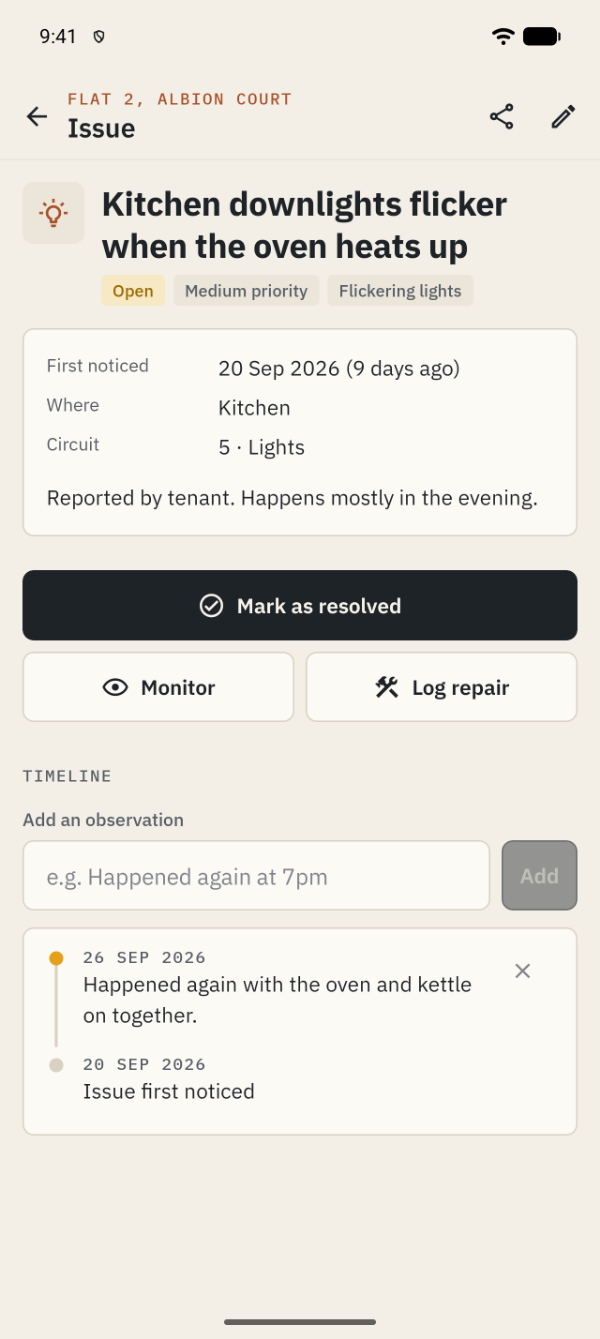
Flickering lights, a breaker that keeps tripping, a cracked socket, a buzzing sound — log it when you notice it.
Category, priority, room and circuit, with photos
Add observations each time it happens again, building a timeline
Monitor, resolve or reopen, and link the repair that fixed it
Share a plain-text summary with your electrician in one tap
04Costs
Repairs, upgrades and what they cost
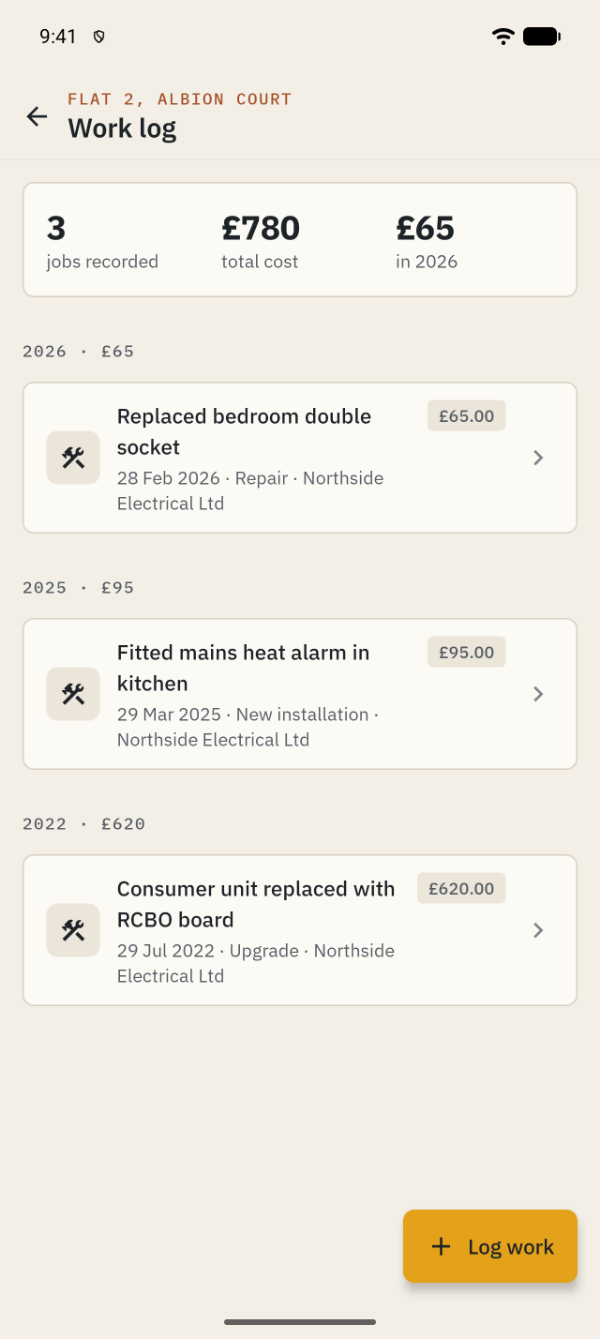
Every job in one work log, grouped by year with totals.
Date, electrician or company, certificate issued and cost in pounds
Invoices, certificates and photos attached to each job
A history of every change made to each property
A PDF property report to print or send to an electrician, agent or buyer
05Plan
A maintenance plan you can keep up with
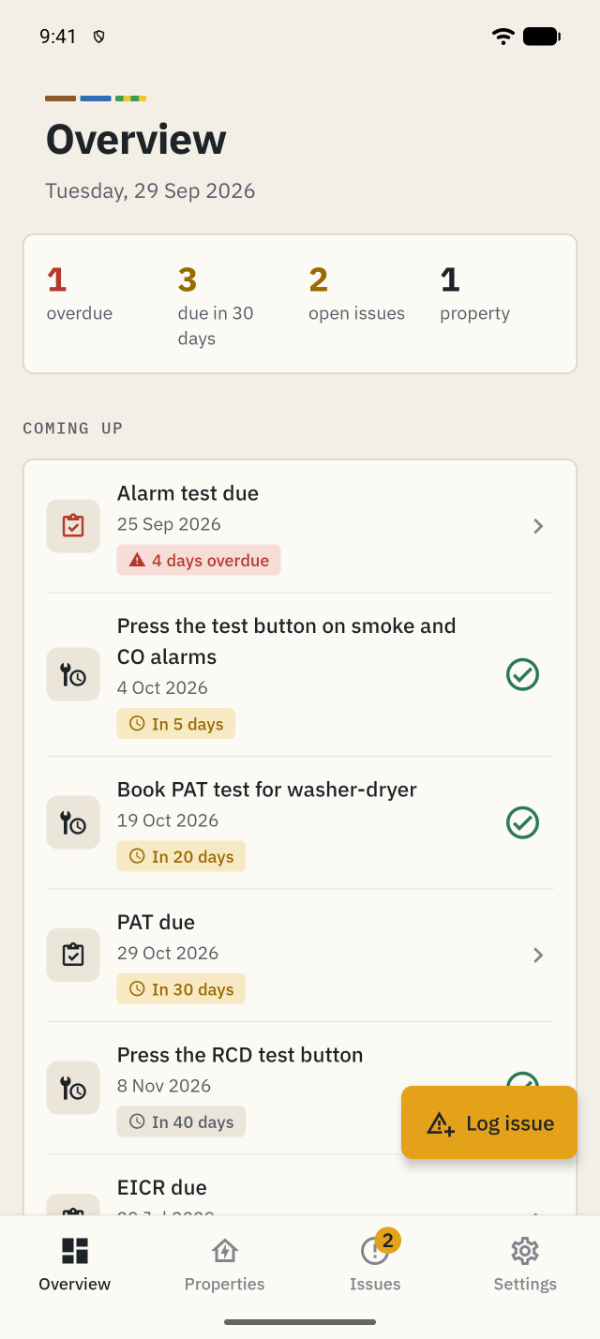
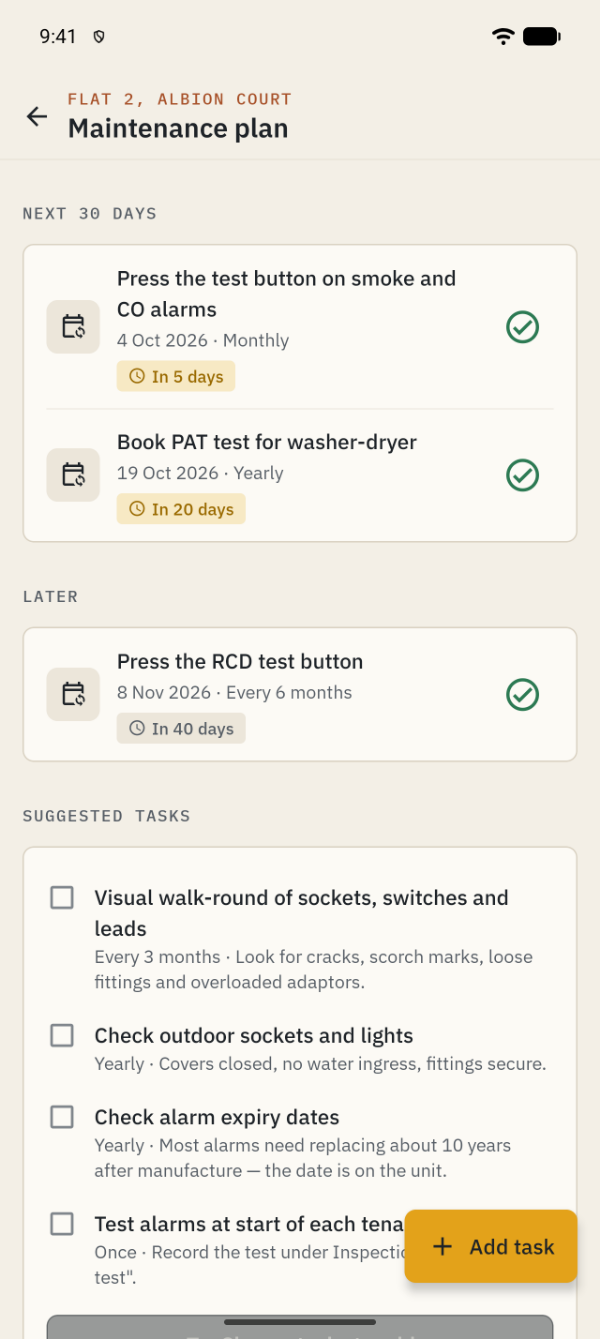
Suggested routines, your own tasks, and a dashboard that shows what is due.
Test alarms monthly, press the RCD test button, walk round sockets and leads
Repeating tasks move to the next date when you tick them off
Overdue and upcoming checks shown on the overview whenever you open the app
No notifications — nothing pops up on your phone
Way 06 · Lets
Letting a property? Keep every home ready.
Add as many properties as you need. For each one that is let, keep tenants and a readiness checklist built from your records.
Tenants with contact details, tenancy dates and the date they received a copy of the EICR
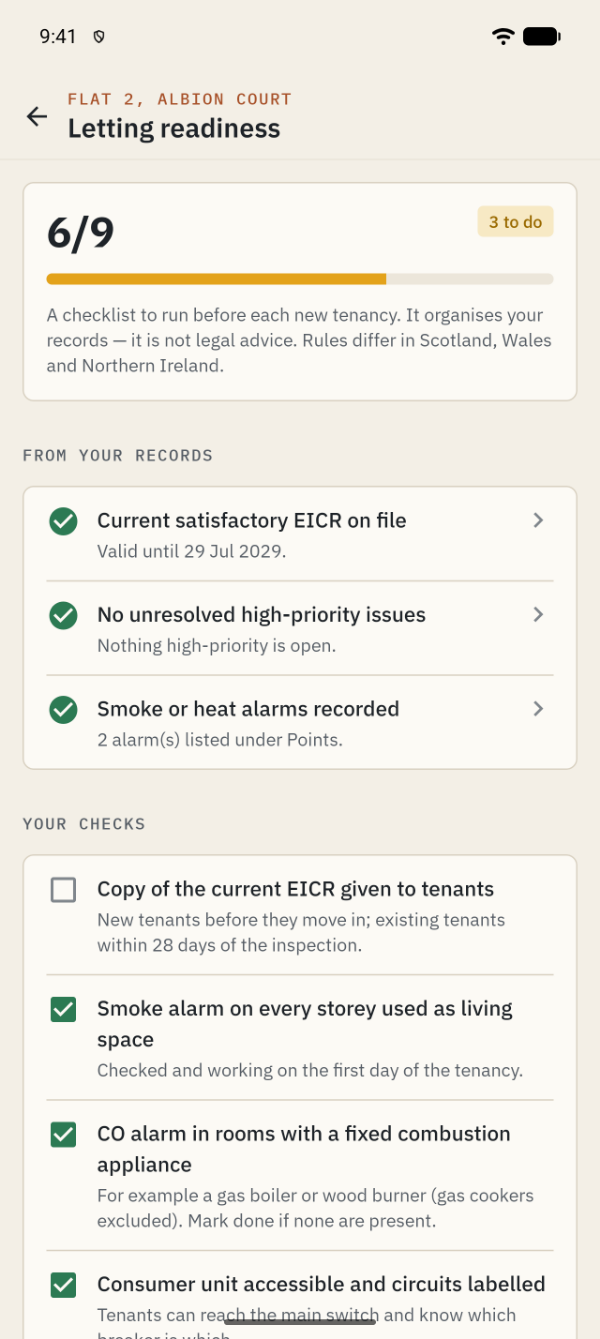
Readiness checks from your records: a current satisfactory EICR, remedial work logged after an unsatisfactory report, no open high-priority issues, alarms recorded
Your own ticks: EICR copy given, smoke alarm on every storey, CO alarms, consumer unit labelled, appliances checked
The checklist organises your records; it is not legal advice. Rules differ between England, Scotland, Wales and Northern Ireland.
Rating plateWhat you get — and what you don’t
It is an organiser, not an electrician. It does not test, diagnose or certify anything, and it never tells you an installation is safe. If you notice burning smells, hot sockets or shocks, stop using the item, switch off at the consumer unit if it is safe to do so, and call a registered electrician.
Key facts about CAETEC Home Electrics
Price
Free — every feature
Ads
None
Account
Not needed
Data
Stays on your phone
Works offline
Yes
Notifications
None
Platform
Android · v1.0.0
QuestionsBefore you install
Does the app check whether my wiring is safe?
No. It is a record keeper. It does not test, diagnose or certify anything. Inspections and electrical work should be done by a qualified, registered electrician. If you notice burning smells, hot sockets or shocks, stop using the item, switch off at the consumer unit if it is safe to do so and call an electrician.
Where is my data stored?
Only on your phone. There is no account and no server. Photos and documents you attach are copied into the app’s private storage. You can export a backup file and restore it on a new phone.
Will it remind me when my EICR is due?
The app does not send notifications. Due and overdue checks appear on the overview and in each property’s plan whenever you open it.
Can I use it for several properties?
Yes, as many as you like — your own home, rentals and properties between lets. Let and vacant properties also get tenants and the letting readiness checklist.
Is it really free?
Yes. No subscriptions, no in-app purchases, no premium tier and no adverts.